Community Feedback and Open Discussion
Featured
Welcome to the New Archer Community!
We’re excited to launch our new Community platform and hope you’re enjoying the updated experience!
If you have any questions or feedback, this is the place to share them. Whether it’s something that’s working great or something that could be improved, we’d love to hear from you.
How you can use this thread:
- Ask questions about navigating or using the new Community
- Share feedback or suggestions for improvement
- Report any bugs or issues you encounter at community.support@archerirm.com
- Let us know what you’d like to see next
Our team will be actively monitoring this discussion and responding as quickly as possible.
Thank you for being part of the Community—we’re looking forward to continuing to improve it with your input!
-

How do we search the old community support. I am not able to search or see any old community discussions of mine or others. Also not able to see any of my comments in old posts and queries.
2 -

It appears with the move to the new site that we have lost all our existing “follow” settings? Also, I see no easy way to see a listing of all the various topic areas to easily refollow.
0 -

How do we search the old community support. I am not able to search or see any old community discussions of mine or others. Also not able to see any of my comments in old posts and queries.
Ezhilarasu Murugaiyan let us look into this for you. I also don't see your history when I look on your profile.
The search bar will allow you to search everything that's on community, including what's been migrated from the previous platform; a number of outdated discussions were removed from the platform, but if you know of something that is missing and should still be on community, please let us know.
-1 -
It appears with the move to the new site that we have lost all our existing “follow” settings? Also, I see no easy way to see a listing of all the various topic areas to easily refollow.
Christopher Lomvardias You can either browse the community topics from the top nav bar to find what you want to follow, or you can use the search bar.
We did migrate subscriptions - if you are noticing ones that are missing let us know.
FYI – here are some popular follows just in case you missed some; just go to the link and click FOLLOW.
ARCHER SAAS:
https://archer-irm.zendesk.com/hc/en-us/sections/50209755722899-Archer-SaaS-Announcements
ARCHER ON-PREM:
https://archer-irm.zendesk.com/hc/en-us/sections/50209847529491-Archer-On-Premises-Announcements
ARCHER GRC:
https://archer-irm.zendesk.com/hc/en-us/sections/50209650114067-Archer-GRC-Solution-AnnouncementsARCHER EXCHANGE:
https://archer-irm.zendesk.com/hc/en-us/sections/50209411960467-Archer-Exchange-Announcements
0 -
Still don't see any ways to see my old posts and comments. I guess all my old data is lost after the launch of new community site.
0 -
Still don't see any ways to see my old posts and comments. I guess all my old data is lost after the launch of new community site.
I have reported this and am waiting for further word - stay tuned, Ezhilarasu Murugaiyan
0 -
Ezhilarasu Murugaiyan I'm still trying to follow up on this, but our developers don't find any post history associated with your account. Is it possible you were posting with another account?
0 -
I use the same account. It is not only me, many reported the same.
0 -
I use the same account. It is not only me, many reported the same.
I'm not seeing other reports; if you have any usernames who are seeing content missing please let me know! I'm trying to follow up on this issue Ezhilarasu Murugaiyan
Also if there is any information you can give about your missing content: number of posts/comments, subject area, etc. Our team hasn't found anything from your old account that's missing.
0 -
I don't have the exact details. Here is the screenshots of my old emails that I received from old community website. All the links in my old emails navigate to the home page of the new community website.
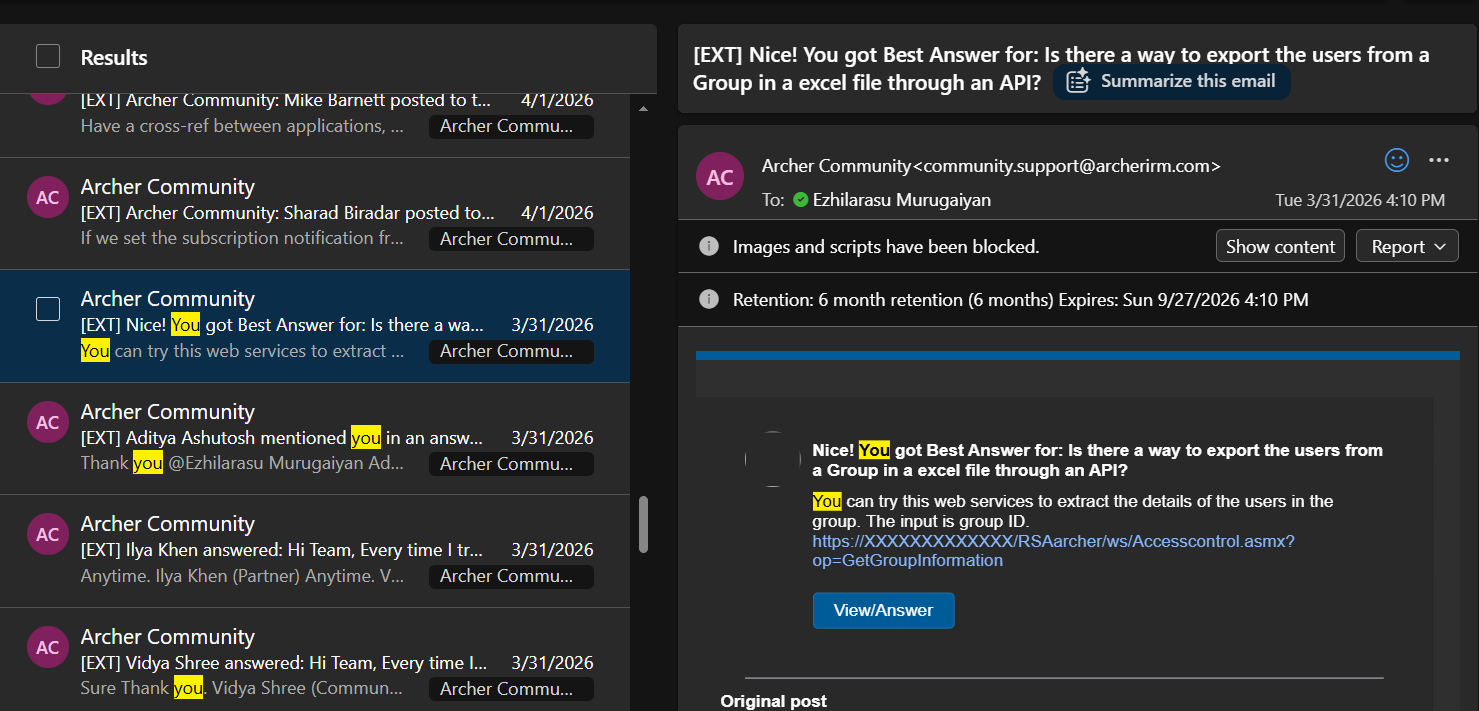 1
1 -

Quick question from my side: why are there two different places for Community Help, even for the same topic?
I was recently trying to show something to a colleague and couldn't find it because it wasn't under Archer Community → Community Help → Community Help, but under Archer Community → Community → Community Help.
Having similar content in two different locations feels a bit confusing.
Same topics:
Questions or comments on the new community site? Ask the team here! – Archer Community
Questions or comments on the new Community site? Ask the team here! – Archer Community0 -
Hi Daniel Müller ,
That's a fair observation, and you're correct that those two items appear very similar.
The reason you see them in different locations is that they're actually two different content types:
- One is a Knowledge Base article located under Archer Community → Community Help.
- The other is a Discussion post located under Archer Community → Discussions → Community Help (Topic).
We intentionally kept both during the migration because the Discussion post had already received comments and community interaction that we didn't want to lose. As a result, there is currently some overlap between the article and the discussion.
I recognize that this can be confusing from a navigation perspective, especially when the titles are nearly identical. I've gone ahead and renamed the discussion post to "Community Feedback and Open Discussion" to better distinguish it from the Knowledge Base article and make it clearer which one is intended for reference versus ongoing conversation.
Thanks for pointing it out and for the feedback! 😊
0
Please sign in to leave a comment.
Comments
12 comments